

Integrations with the tools you already use.
Connected apps
Each works as you, in this account, with exactly your permissions
Gmail
sends your mail from your own address
Connectedlast used todayQuickBooks Online
invoices and payments, one click
Connectedlast used 22 Sep 2026Mailchimp
subscriptions and status per contact
Connectedlast used 21 Sep 2026Address book on iPhone
your contacts, always up to date
App passwordlast sync todayCalendar feed
exhibitions, consignments, payments due
Subscribedcreated 3 Feb 2026Website token
read only, for the WordPress plugin
Active1,204 requests
Email from your own account
Send emails and save drafts directly from WrkLst through your Google Workspace, Microsoft 365, Infomaniak kSuite or any standard email account via IMAP. Every message is sent from your own address, with works and documents attached from your archive, and is filed against the contact.
On a contact record, “Find mail in your mailbox” searches your own mailbox for the emails you have exchanged with that person — only for the addresses on the record, and only when you ask. A message is stored only when you choose to keep it.
- Google Workspace
- Microsoft 365
- IMAP
- Drafts
- Works & documents attached
- Correspondence panel
- One-click reconnect
Patrick Potter
Telephone
Addresses
- Last contact
- 4 Sep 2026 · Meeting · Lea
- Log contact
- Stay in touch
- every 3 months · from their buying rhythm
Artist to offer: Nina SculptorHigh
Leads & waitlist
2Waitlists
#1Mary Painter20 Aug 2026
Leads
Mary Painter Quiet Field II, 2016
Sale · In contact · 4 Sep 2026
Messages
2Two works for the autumn show · 4 Sep 2026 · 2 works attached
Re: Tide Notes — framing · 12 Mar 2026
Invitations
3Sales & resales
2Sales & holds
Mary Painter Tide Notes, 1949
Sale · INV-2026-0142 · 21,420.00 EUR · paid in full
Nina Sculptor Night Interval
Hold until 30 Sep 2026
Connections
1One-click sync to your bookkeeping
Our QuickBooks Online and Lexware Office integrations allow one-click syncing of invoices and contacts, with seamless linking between WrkLst and your bookkeeping records. Choose the income account each sale posts to directly on the sale, so primary sales and resales can be booked to different accounts.
With QuickBooks Payments, your clients can settle an invoice directly in QuickBooks — the pay link on your invoice takes them straight there. Card payments run through your own Stripe or Shopify Payments account — whichever gives you the better rate.
Switch on invoice bookkeeping for numbered, locked invoices tuned to your country’s rules — in the EU with an embedded EN 16931 e-invoice (ZUGFeRD), in Germany and Austria with a DATEV Buchungsstapel for your tax advisor, payments optionally included as bank against debtor. Optional bank and payment gateway reconciliation reads your account over FinTS, from the statement file your e-banking exports — camt.053, MT940, OFX, QIF, CSV or Excel — or, for a US account, through your own Stripe; takes PayPal’s activity file and Stripe, Shopify and QuickBooks payments into the same stream; and books each incoming payment on the invoice it belongs to.
- QuickBooks Online
- Lexware Office
- Invoices & contacts
- E-invoices (ZUGFeRD)
- DATEV export
- Bank (FinTS, statement files, US via Stripe)
- Income account per sale
- QuickBooks Payments
- Your Stripe
- Your Shopify Payments
Client
Patrick Potter
Facilitator
Anna Kiln
Location
Berlin space
Invoice
The items on this invoice and how each one is priced
| Mary Painter Tide Notes, 1949 | 18,000.00 EUR | |
| Paul Printmaker Vessel and Ground, 2023 | 1,800.00 EUR |
- Subtotal
- 19,800.00 EUR
- Shipping
- 400.00 EUR
- VAT 19 %
- 1,220.00 EUR
- Invoice total
- 21,420.00 EUR
Invoices · 1
invoiced 21,420.00 EUR · paid 21,420.00 EUR · all 2 positions invoiced
RE-2026-0142Invoice12 Mar 202621,420.00 EURPaid
Payments received · 1
14 Mar 202621,420.00 EURBank accountPatrick PotterRE-2026-0142
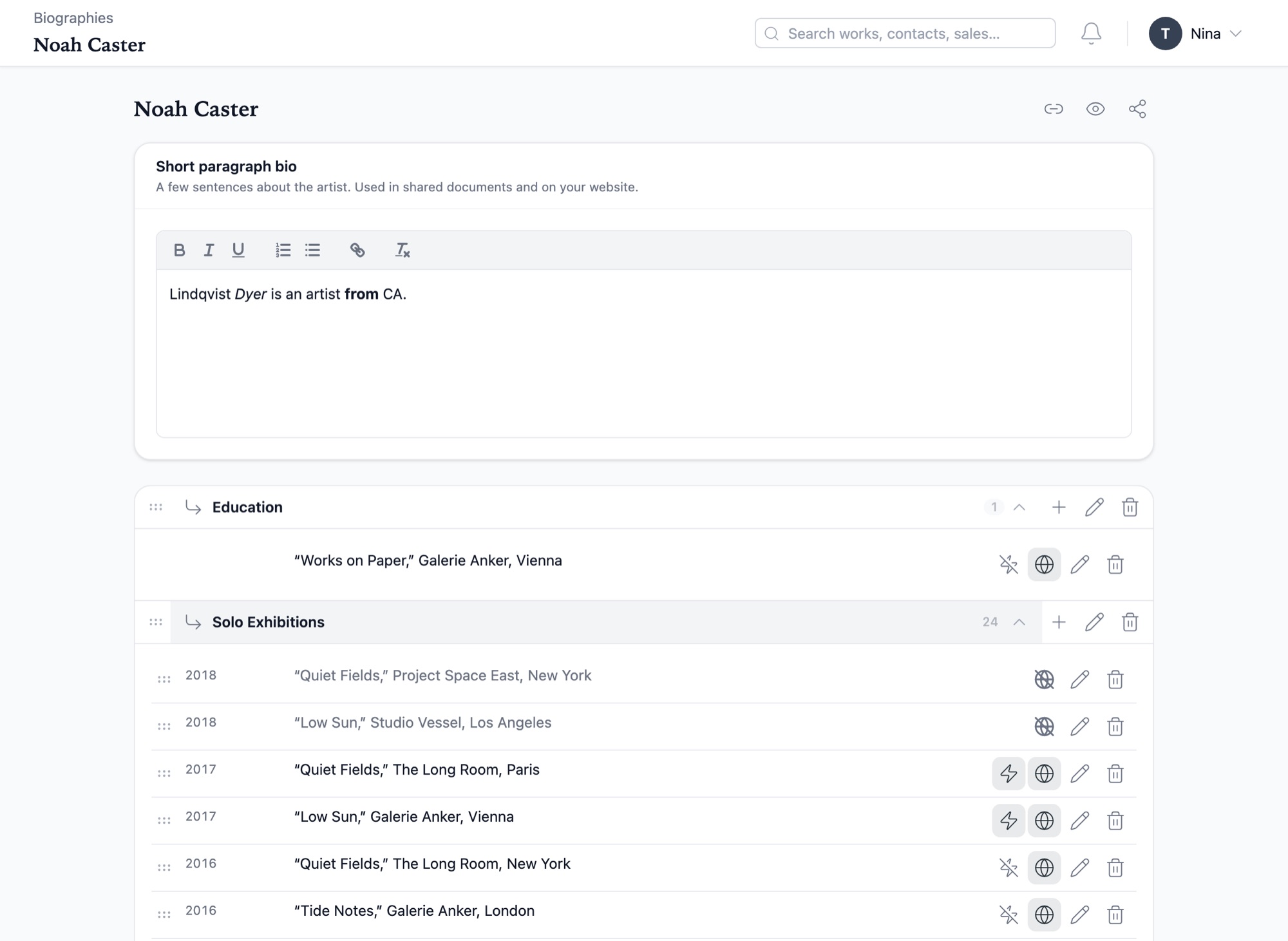
Your website, synced with WrkLst
The WordPress plugin is ready to use and free of charge. It gives your website access to artwork images with their captions and alt texts, and automatically syncs artist biographies from WrkLst — maintained in one central space, so your website, your PDFs and your Word documents always derive from the latest version. It is freely available on GitHub — install it today.
For a website that is not on WordPress, or a fully custom one, a direct connection reads and writes the same records — works, contacts, exhibitions, media and more — so your developer can connect the site fully. Other systems can be connected through open standards — just ask us for details. If you would rather have the website from us, Website Complete builds it from your records and hosts it, for €1,900* setup and €99* a month; Website Data gives your own developer the same content, for €490* setup and €49* a month; bespoke sites are quoted by scope.
- Images, captions & alt texts
- Artist biographies
- WordPress plugin, free
- REST API
- Open standards
- Custom integrations
Everything it connects to.
- Google Workspace
- Sends mail from your own address when you press send, with works and documents attached from your archive, and files it against the contact.
- Microsoft 365
- Sends mail from your own address when you press send. If a Google or Microsoft connection stops working, WrkLst lets you know and offers a Reconnect button.
- IMAP
- Connects any standard email account, Infomaniak kSuite included. Sends mail and saves drafts when you press send.
- Mailchimp
- Subscribes or unsubscribes a contact from their record at the click of a button, and lets you filter by status and rating. Subscription status is read from Mailchimp, not written back.
- MailerLite
- Subscribes or unsubscribes a contact from their record at the click of a button, and lets you filter by status and rating.
- QuickBooks Online
- Syncs invoices and contacts at the click of a button, posted to the income account you choose on the sale. With QuickBooks Payments, the pay link takes your client to the invoice in QuickBooks.
- Lexware Office
- Syncs invoices and contacts at the click of a button, linked to the sale in WrkLst.
- Bank (FinTS, statement files, US via Stripe)
- Reads booked credits from your bank — German banks online over FinTS on a schedule, with the approval in your banking app or a typed TAN; a US checking or savings account every day through your own Stripe; any other bank from the statement file you upload: camt.053, MT940, OFX, QIF, CSV or Excel, a spreadsheet’s columns matched once and remembered. PayPal, a marketplace or a second card provider joins as an account of its own through its statement file. Each payment is booked on the invoice or sale it names, or the client it belongs to; the rest come as ranked suggestions. Optional, per account.
- DATEV
- Writes a Buchungsstapel for your tax advisor from your issued invoices whenever you export — SKR04 defaults you confirm with your advisor, payments included as bank against debtor if you choose. For sellers in Germany and Austria, once invoice bookkeeping is switched on.
- Stripe
- Processes card payments through your own Stripe account, connected by signing in at Stripe: the collector pays via the link on your invoice, and the payment marks the sale as paid. On a WrkLst website, the WrkLst shop checks out through it.
- Shopify Payments
- Processes card payments through your own Shopify store as an alternative to Stripe, sometimes at a cheaper rate: the pay link opens a Shopify checkout, and the payment marks the sale as paid.
- VAT number checks
- With tax assistance on, a business buyer’s VAT number is checked with the German Federal Central Tax Office, the EU’s VIES or HMRC, and the result is kept on the contact with its date — see Tax assistance.
- Shopify
- Sells works and products through your WrkLst website: a work set to Buy on Shopify shows Shopify’s price and a Buy button, products that are not works — books, editions, prints — get pages of their own, and visitors check out a cart through Shopify. The product list is kept up to date every night. Or keep the WrkLst shop and take its payments through your Shopify checkout.
- WrkLst Video
- Hosts the videos of your works, shows and presentations and plays them on your websites and in presentations, as an add-on on your WrkLst invoice — see WrkLst Video.
- WrkLst website
- With Website Complete, enquiries arrive in Leads, a newsletter signup on any page or in the footer reaches your Mailchimp or MailerLite list with double opt-in, the WrkLst shop sells your products and works through your own Stripe or Shopify checkout and records every order as a sale, and your Shopify shop sells through a cart on the website.
- WordPress plugin
- Ready to use and free of charge. Publishes images with captions and alt texts when you pick them, and artist biographies when you publish them. The plugin’s access key is created under Settings › API Tokens.
- Address book (CardDAV)
- Syncs contacts one way to iPhone, iPad, Mac, Android or any CardDAV device — names, numbers, addresses and pictures, always up to date. One app password per device; admins decide per role who may use it.
- Calendar feed (ICS)
- Provides your dates as a feed your calendar subscribes to — Apple Calendar, Google Calendar, Outlook or Thunderbird. You choose what is included, and amounts are never written into an appointment’s title.
- REST API
- Lets your developer connect a website or other software fully: it reads and writes works, contacts, leads, exhibitions, media, sales, lists, shipments and consignments on request. Each access key has set rights — read only, read and write, full access, or acting as one user — and the documentation is inside WrkLst, opened from Settings › API Tokens.
- MCP
- Connect your own AI assistant through MCP and let it take on tasks in WrkLst for you, with exactly the permissions of your user role; it is optional, and you disconnect it in your settings whenever you like — see how AI in WrkLst works.
Open standards, and custom integrations on request.
A system of yours that is not on the list can still be connected — WrkLst speaks the same open standards as the email, address book, calendar and bookkeeping you already use. Custom integrations may incur additional fees — contact us to discuss your specific needs.
We firmly believe that the data you enter into WrkLst belongs to you. In addition to everyday exports like spreadsheets, PDFs and Word documents, your entire WrkLst database can be downloaded as one complete file (SQL dump) whenever you like — a full copy in a standard format any database specialist can open.