Gallery software for the whole workflow.
From the offer to the invoice
From offers and holds to sales and donations, WrkLst provides the structure to record each transaction in full. Easily turn a hold into an offer and the offer into an invoice on your letterhead, with a pay link that takes the collector to their card through your own Stripe or Shopify Payments account — or to the invoice in QuickBooks — and marks the sale paid.
Sync invoices to QuickBooks Online or Lexware Office with one click. If you run more than one space, each sale records which one it came from, with that space’s stationery and its own bookkeeping. Invoice bookkeeping adds numbered, locked invoices tuned to your country’s rules — GoBD, e-invoice (ZUGFeRD) and DATEV export in Germany — with payments per invoice and, optionally, bank and payment gateway reconciliation (Stripe, Shopify, QuickBooks) that marks invoices paid as the money arrives.
Before the offer comes the enquiry: record it as a lead — enquiries from your WrkLst website arrive as one — and the lead follows its offer, hold and sale. See the CRM
“WRKLST has made dealing with the ever changing inventory of our gallery a breeze!”- Offers & holds
- Invoices on your letterhead
- Payment links
- Your own Stripe or Shopify
- QuickBooks & Lexware
- Invoice bookkeeping & DATEV
- Bank & payment gateway reconciliation
- Sales per space
- Auction & consultant sales
Client
Patrick Potter
Facilitator
Anna Kiln
Location
Berlin space
Invoice
The items on this invoice and how each one is priced
| Mary Painter Tide Notes, 1949 | 18,000.00 EUR | |
| Paul Printmaker Vessel and Ground, 2023 | 1,800.00 EUR |
- Subtotal
- 19,800.00 EUR
- Shipping
- 400.00 EUR
- VAT 19 %
- 1,220.00 EUR
- Invoice total
- 21,420.00 EUR
Invoices · 1
invoiced 21,420.00 EUR · paid 21,420.00 EUR · all 2 positions invoiced
RE-2026-0142Invoice12 Mar 202621,420.00 EURPaid
Payments received · 1
14 Mar 202621,420.00 EURBank accountPatrick PotterRE-2026-0142
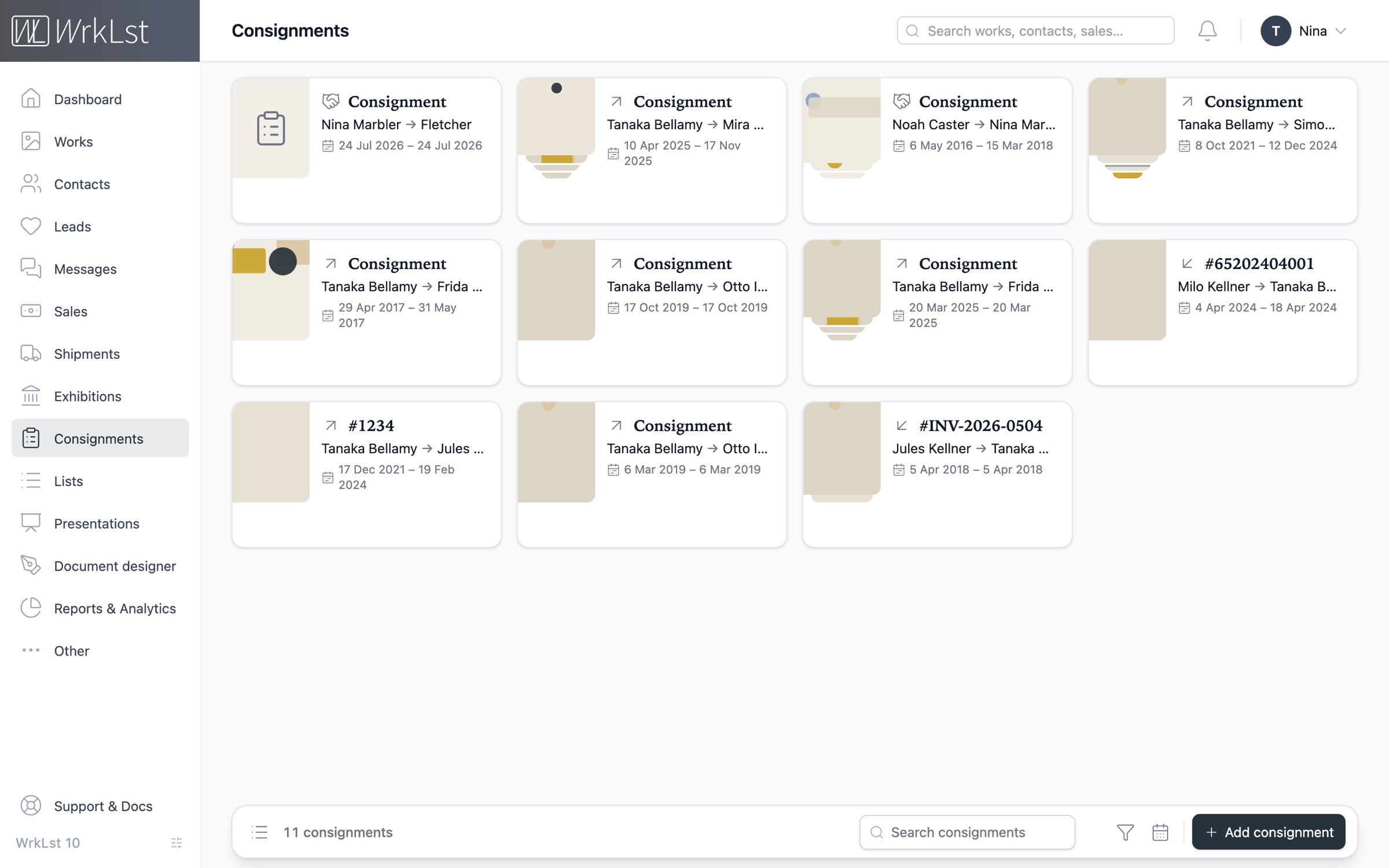
Know where every consigned work is
Easily manage all incoming, outgoing and third-party consignments, with their documents and key timeframes attached to the record. A consigned work shows as unavailable wherever it appears in WrkLst — in the list, in the basket and in the presentation you are about to send — helping you make informed decisions when browsing available works.
Each consignment records which way the art is moving, between whom and for how long, with price, commission and loan conditions per work. The calendar view shows current consignments and upcoming expirations, and automatic email and in-app notifications keep you ahead of every deadline.
“It is easy to tell when something is paid in full, or when an active consignment is ending soon.”- Incoming & outgoing
- Third-party
- Expiry notices
- Loan conditions
- Price & commission per work
- Documents
- Sales report per consignment
September 2026
Ending September 2026
Sep 7, 2026 (23 d.): MP-104, MP-105, MP-111, MP-112 - Gallery/Casemore Gallery
7 Sep 2026 – 30 Sep 2026
Beginning September 2026
Sep 1, 2026 (14 d.): NS-021, NS-022 - Nina Sculptor/Gallery
1 Sep 2026 – 15 Sep 2026
Sep 17, 2026 (3 d.): PP-007 - Gallery/Fair booth
17 Sep 2026 – 20 Sep 2026
Running September 2026
Jun 12, 2026 (ongoing): MP-090 - Gallery/Kilnworth Collection
12 Jun 2026 – open-ended
Dashboard · Consignments
Sep 7, 2026 - Sep 30, 2026: Gallery/Casemore Gallery
7 Sep 2026 – 30 Sep 2026
Present at the fair, online or offline
Our mobile apps for iOS and Android, designed for phones and tablets, deliver an optimized experience for presenting and browsing works, exhibitions and lists — ideal for art fairs and sales presentations in a collector’s home, even when offline. View in Room shows a work on a wall at its real size, and on iPhone, iPad and Android, AR places it on the collector’s own wall through the camera.
Sync your address book to the contacts app on your phone, so you see who is calling before you answer, and keep the fair’s dates, your holds and your payments due in your own calendar.
- iOS & Android
- Phones & tablets
- Offline
- View in Room
- AR at real size
- Contacts on your phone
- Dates in your calendar
#WPL164
Vera Kilnworth
Trinket, 2016
#WAR001
Marek Souza
untitled, 2017
#SIL121
Otto Etcher
iPhone drawing, 2013
#SH_StaBro
Nina Sculptor
#SH_RicArt
Lena Aoki
blib
#Shet005
Paul Printmaker
Floured II, 2008
#SHE1002
Ruth Bellamy
Untitled, 2017
#SHE1001
Mary Painter
Marek Souza
untitled, 2017
mixed media on canvas
A complete overview of every collector
A fully integrated address book that makes every transaction in WrkLst personal. Open a collector and gain a complete overview of the works she was offered, bought or consigned, the exhibitions she attended, and the correspondence you exchanged — read from your own mailbox only on request, and kept only when you choose to keep it.
For your next exhibition, Opportunities lists who bought, held, asked about or looked at the artist’s works — write to them from your own Google Workspace, Microsoft 365 or IMAP account, or make each a lead.
- Offers & holds
- Purchases
- Correspondence
- Exhibitions attended
- Rating
- Mailchimp & MailerLite
- Confidential notes
Patrick Potter
Telephone
Addresses
- Last contact
- 4 Sep 2026 · Meeting · Lea
- Log contact
- Stay in touch
- every 3 months · from their buying rhythm
Artist to offer: Nina SculptorHigh
Leads & waitlist
2Waitlists
#1Mary Painter20 Aug 2026
Leads
Mary Painter Quiet Field II, 2016
Sale · In contact · 4 Sep 2026
Messages
2Two works for the autumn show · 4 Sep 2026 · 2 works attached
Re: Tide Notes — framing · 12 Mar 2026
Invitations
3Sales & resales
2Sales & holds
Mary Painter Tide Notes, 1949
Sale · INV-2026-0142 · 21,420.00 EUR · paid in full
Nina Sculptor Night Interval
Hold until 30 Sep 2026
Connections
1More ways to run the gallery.
Planning
ExhibitionsKeep every show with its works, documents and installation images in one place, plus a sales report of what it sold, per colleague, with buyer and invoice.
Logistics
ShipmentsTrack sender, recipient, dates, the works in the crate and the pro-forma invoice with its customs paperwork, with live FedEx, DHL and UPS tracking on a map.
Planning
TimelinePlan exhibitions, fairs, installs and deinstalls across several spaces on one calendar and avoid double bookings.
Documents
BiographiesMaintain one CV per artist in one place, shown on your WrkLst website or synchronized with your own site through the WordPress plugin, so your website, PDFs and Word documents always derive from the latest version.
Sales
PresentationsShare works and captions, with optional availability and prices, with a collector through a private link on a page in your name, laid out like a catalogue — and see which works they looked at; an enquiry or a request to buy arrives as a lead.
Reports
Reports per showSee sales by channel — your own, external, donations — on every exhibition and consignment, beside the production and framing costs.
Templates
DocumentsDesign exhibition booklets and tear sheets in the document designer, and generate consignment forms, condition reports and invoices from your own templates, as Word, Excel, CSV or PDF.
Languages
Sixteen languagesUse the interface in sixteen languages, including Arabic right to left, with PDFs that print correctly in every one; each colleague picks their own.
No commission on your sales. Priced by the size of your archive.
WrkLst takes 0 % of your sales. Card payments run through your own Stripe or Shopify Payments account — whichever gives you the better rate — so the money goes directly to you and we add no margin. Or the pay link takes the collector to your invoice in QuickBooks.
Pricing is based on the size of your archive — each work and each contact counts as one record — with users included. Prices are listed without VAT and billed monthly or yearly, and you can cancel any time.
What WrkLst customers say.
“WrkLst has transformed how I engage with my collection. Having everything at my fingertips makes it easy to browse, share, and develop new projects wherever I am.”
 Konstantin Haubrok
Collector and Curator
“WrkLst is an essential tool for professional archiving and managing studio and estate workflows. The personalized support, from custom data migrations to day-to-day assistance, is fast, reliable, and invaluable to our work.”
 Ursula Davila-Villa
Co-founder of Davila-Villa & Stothart
“WrkLst is an affordable must-have for artists and collectors. It keeps my contacts and inventory organized, integrates seamlessly with Mailchimp and my website, and looks great doing it.”
 Mieke Marple
Artist, Writer, Art & Tech Consultant